Heesung Yang
Fixing Dll File Not Found on Windows (msvcp.dll, msvcr.dll, etc)
Issue
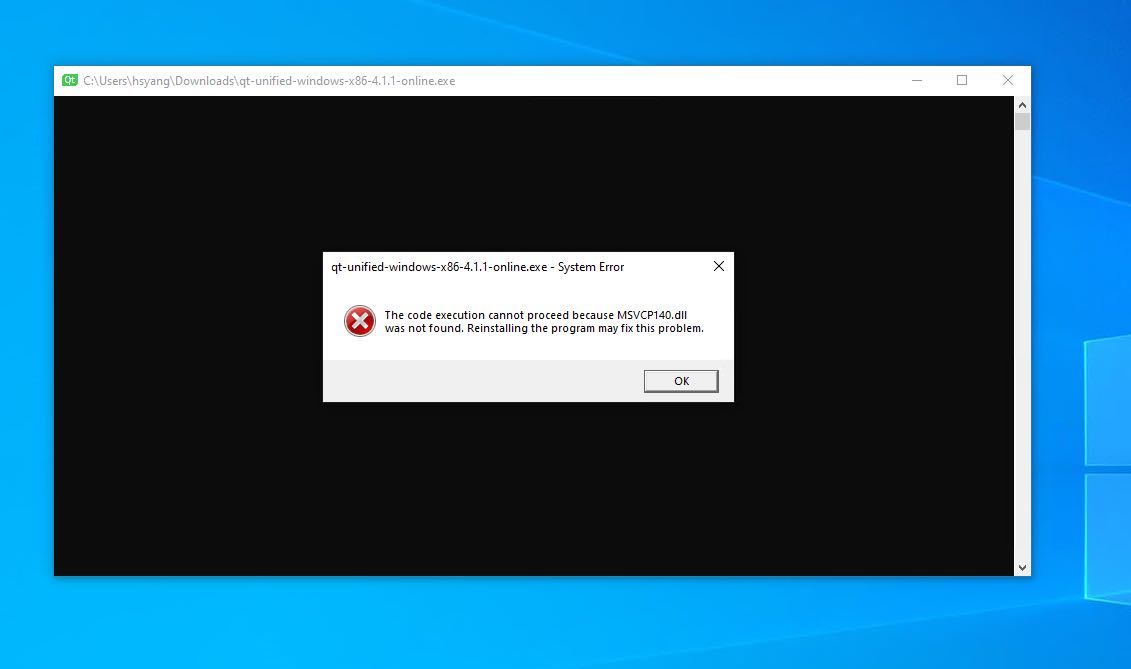
Cannot find DLL files when running a program on Windows OS.
Environment
- Windows 10
Solution
Install Redistributable package provided by Microsoft.
Steps
There are several Redistributable packages.
You should install the appropriate package according to the DLL file name.
| DLL File Name | Redistributable Package Name |
|---|---|
| msvcp140.dll | Microsoft Visual C++ 2015 Redistributable |
| msvcp120.dll | Microsoft Visual C++ 2013 Redistributable |
| msvcp110.dll | Microsoft Visual C++ 2012 Redistributable |
| msvcp100.dll | Microsoft Visual C++ 2010 Redistributable |
| msvcp90.dll | Microsoft Visual C++ 2008 Redistributable |
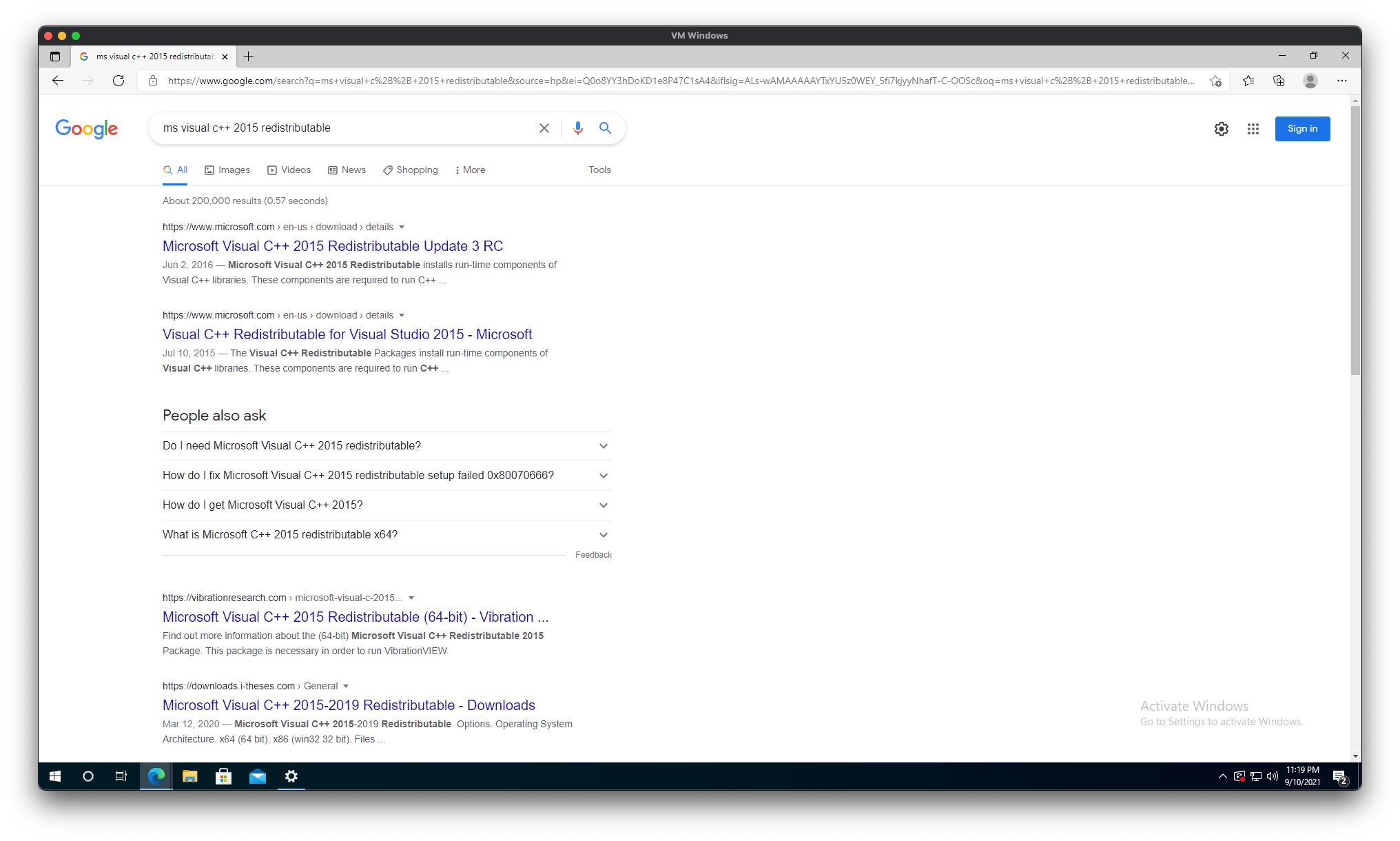
You can find the download page by searching as follows.
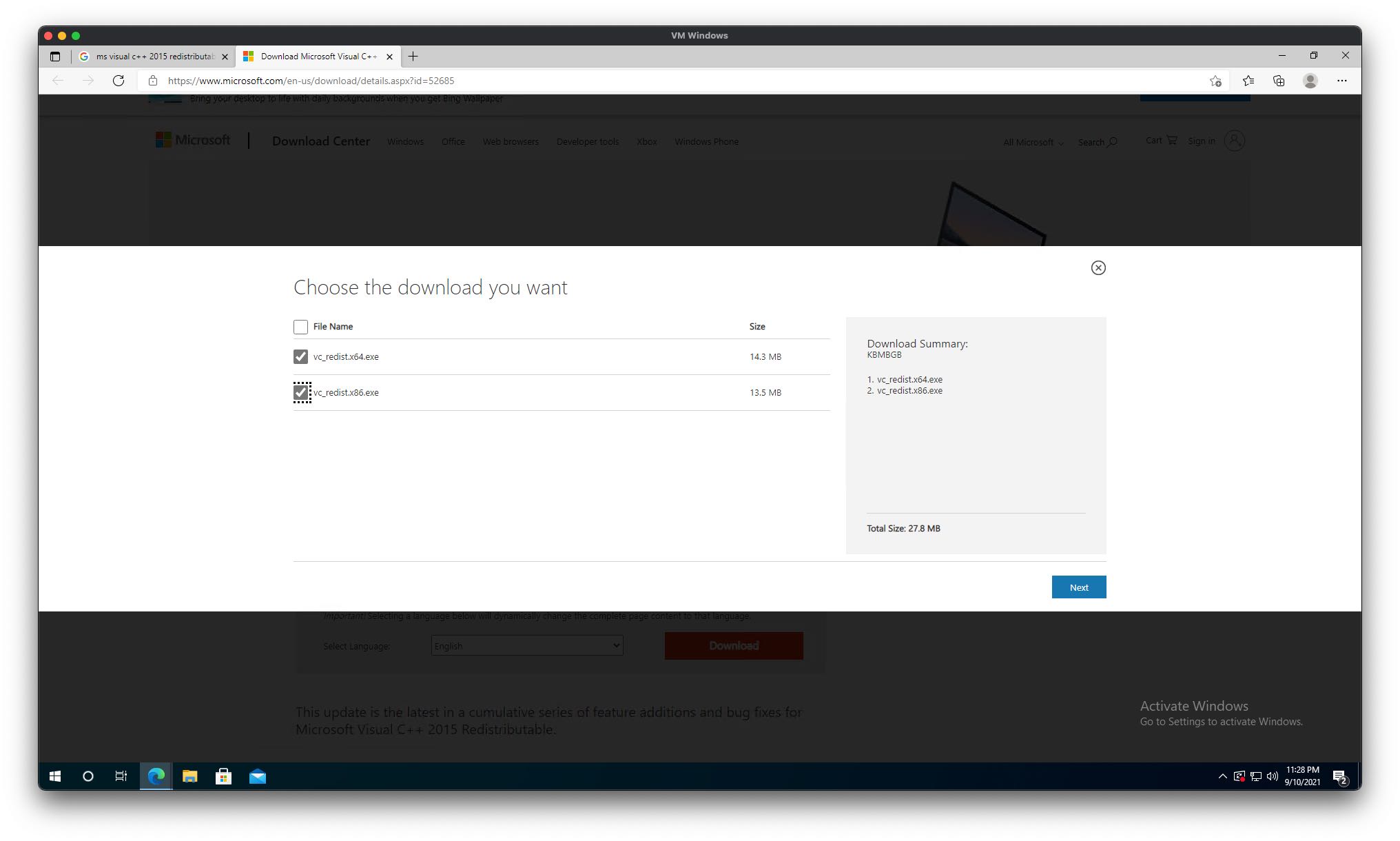
There are two Redistributable packages for 32bit/64bit.
Just install them all.
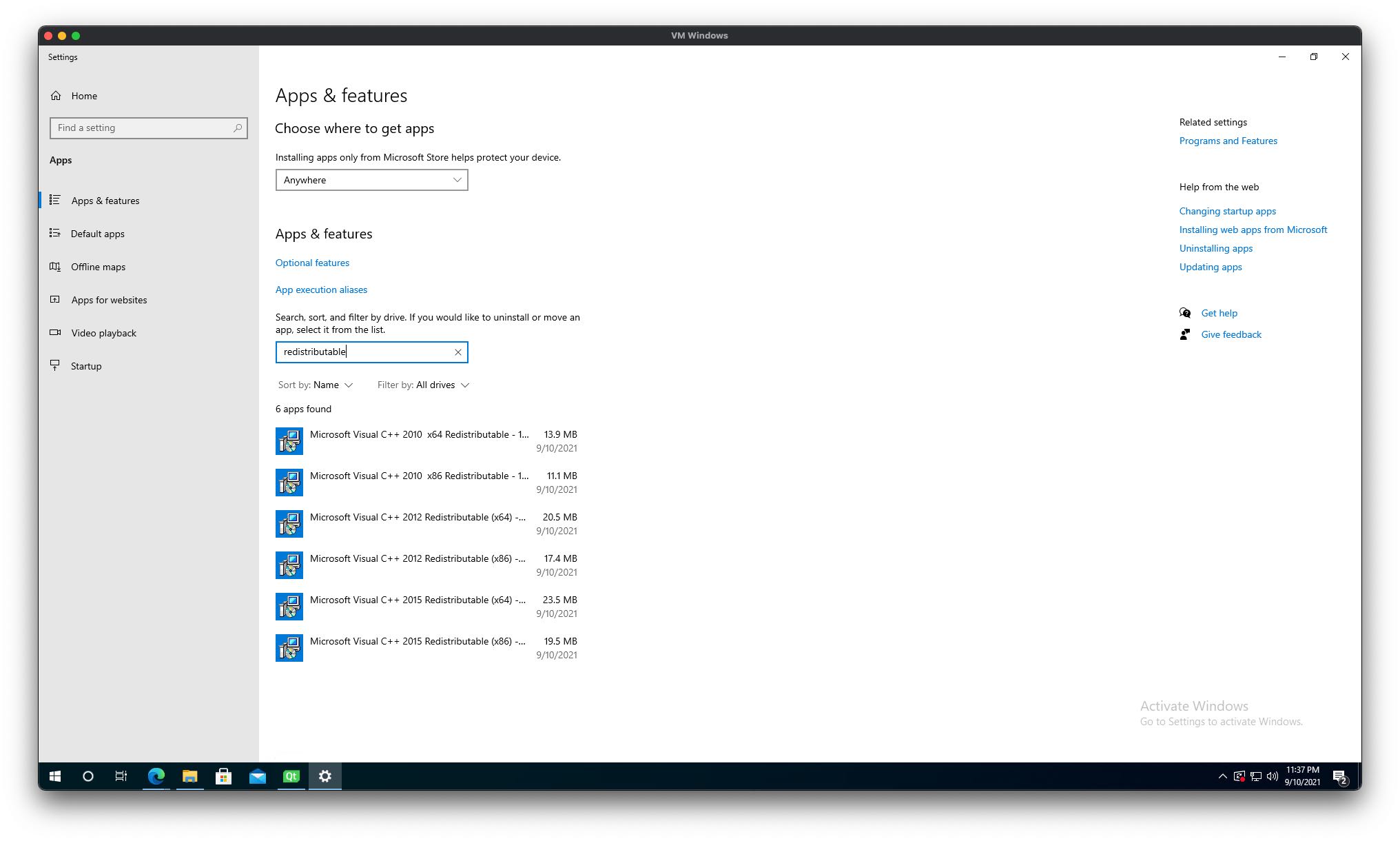
After installation, you can see which Redistributable packages are installed in the Add or remove programs menu.
Previous post
Git Commit Cheatsheet